Quick answer: AI image tools such as ChatGPT, Midjourney and similar generators produce pixel images (PNG, JPG or WebP), not vector logos. To use one on signs, shirts or vehicles, the design has to be rebuilt as true vector paths — ideally redrawn by a designer rather than auto-traced — and saved as AI, EPS, SVG and PDF files. We do this for Atlanta-area businesses starting at $125–$200.
AI image generators have made it easy to get a logo idea in seconds. The problem shows up later, when a printer, sign shop or embroiderer asks for “the vector file” and you realize you only have a picture. This guide explains why that happens and the right way to fix it.
Why an AI logo is not a vector
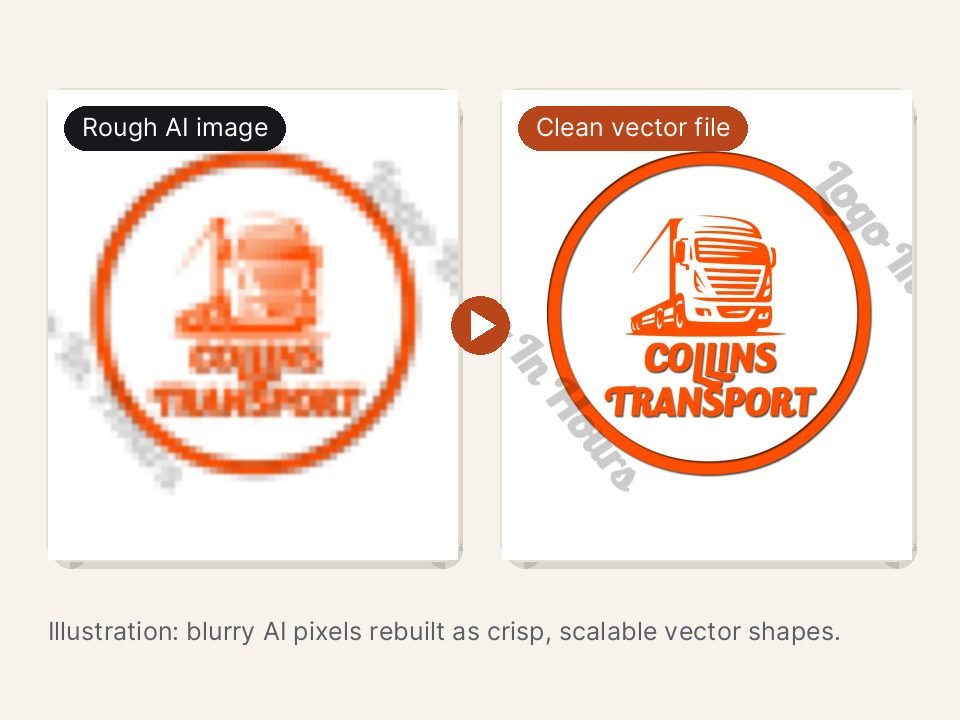
A vector file describes shapes with mathematical paths, so it can be enlarged to any size and still have crisp edges. An AI-generated image is a grid of colored pixels. When you enlarge it, edges turn soft or blocky. AI images also tend to have:
- Lettering that is slightly misspelled, uneven or melted together.
- Tiny details and gradients that disappear when printed small or embroidered.
- Shapes that are not symmetrical or consistent from one side to the other.
- Background noise, halos and soft shadows that are hard to remove cleanly.
Why automatic tracing usually falls short
Software can “trace” a pixel image into vector paths automatically, and online converters do this in a click. For simple, high-contrast shapes it can work. For most AI logos, the result has bumpy curves, hundreds of unnecessary points, broken letters and color blotches. It technically opens as an SVG, but sign shops and embroiderers still struggle with it.
How a proper vector reconstruction works
- Review the image. We check which parts can be reproduced faithfully and which need simplifying for production.
- Fix the lettering. We match or rebuild the typeface so the business name is spelled correctly and spaced evenly.
- Redraw the shapes by hand. Clean curves with as few points as needed, so the logo scales smoothly.
- Simplify for real uses. Fine textures and gradients become solid shapes that print, cut and stitch well.
- Prepare color versions. Full color, one color and reversed versions, with color values noted.
- Export the file set. AI, EPS, SVG, PDF and high-resolution PNG files.
See before-and-after examples and details on our AI logo to vector page. If you only need a sharper file for screens, AI logo to high resolution may be enough.
Which files you should receive
- AI / EPS — editable vector files for designers, sign shops and print vendors.
- SVG — vector format for websites and cutting machines.
- PDF — vector PDF that most printers accept.
- PNG — transparent backgrounds for web, social media and documents.
Not sure which you need? Read logo file formats explained.
A note on rights for AI-generated artwork
Ownership of purely AI-generated images is a developing legal area. In the United States, the Copyright Office has said that material generated by AI without meaningful human authorship is generally not protected by copyright. A human-made redesign can add original, protectable elements, but this is not legal advice — talk to an attorney if trademark registration matters to your business. Also check the terms of the AI tool you used.
When it makes sense to redesign instead
If the AI image looks too similar to another company’s logo, is too detailed to simplify, or does not fit your business, a fresh design built around the idea may serve you better. See AI logo redesign.
Frequently asked questions
Can you vectorize a logo from a screenshot or photo?
Usually, yes. A clearer image gives a faster, more accurate result, but we can rebuild from screenshots, photos of signs and low-resolution files.
How long does vector conversion take?
Simple logos can move quickly; detailed artwork takes longer. We confirm the timing in your quote, and same-day options may be available for eligible files after review.
Will the vector look exactly like my AI image?
As close as production allows. Where details would not survive printing or embroidery, we explain the change before we make it.
Have an AI logo you want to use? Send it for a free review or text it to (404) 448-1369.